What is Double NAT ? How to fix it issues with Double NAT
NAT (Network Address Translation) allows your devices to share a single WAN IP address (provided by your Internet Service Provider) by changing the public IP address to a private IP address. This process also secures your network by blocking any direct access to your local IP address.
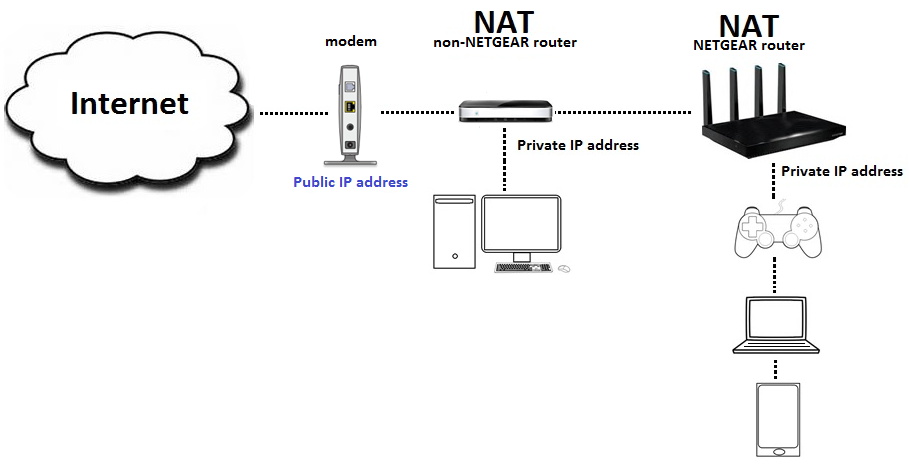
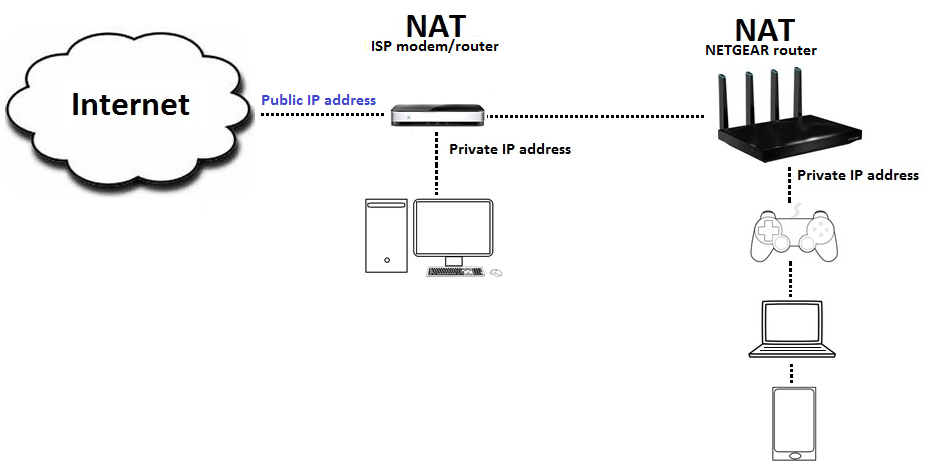
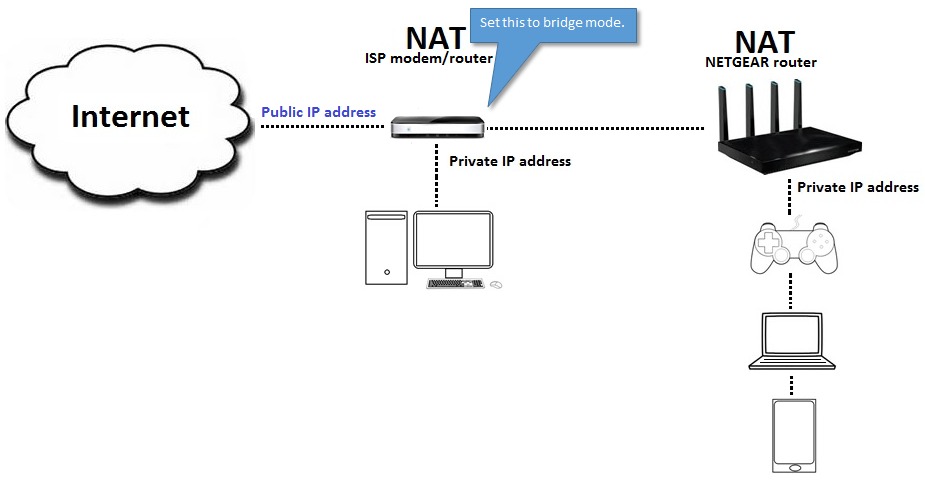
Double NAT is when you connect your router behind another router creating two different private networks. For example, connecting your NETGEAR router behind a modem/router provided by your ISP. Double NAT does not prevent your devices access to the internet but may cause problems with playing online games, opening a specific service port, connecting to a VPN tunnel, or visiting secure sites with SSL. Also, the devices connected to the first private network may not be able to communicate to the devices connected to the other private network.
Scenario 1:
Scenario 2:
Double NAT may cause problems with online games, configuring port forwarding/triggering, or accessing secure sites with SSL. This article provides steps on how to fix issues with Double NAT.
To fix issues with Double NAT:
Option 1: Disconnect the non-NETGEAR router from your network
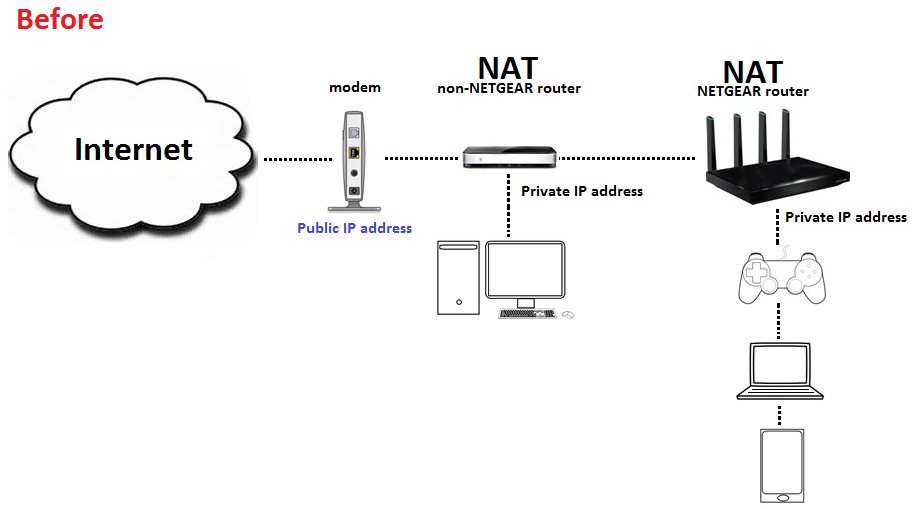
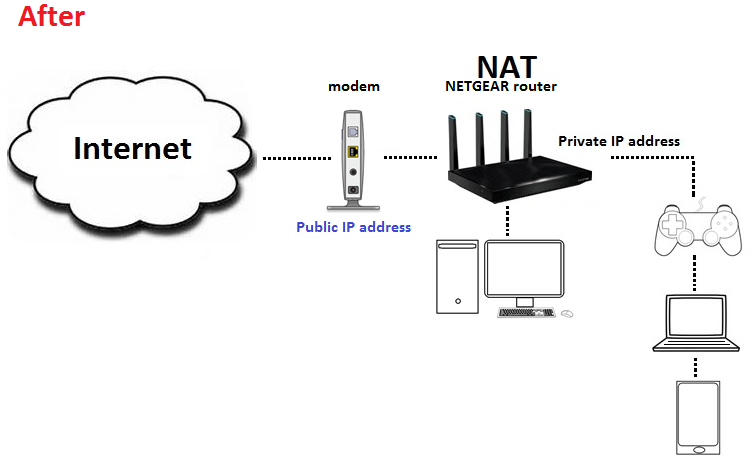
- Turn off your non-NETGEAR router and disconnect the cable that is connected from your modem to your non-NETGEAR router.
- Connect that cable to your NETGEAR router.
- If you have any devices connected to your non-NETGEAR router, you can now connect them to your NETGEAR router.
Option 2: Enable bridge mode on your non-NETGEAR router
If your Internet Service Provider (ISP) provided you with a modem/router, you can change it to bridge mode. This means that your modem/router will only act as a modem. Call your ISP and ask them to help you set your modem/router to bridge mode.
Source : https://kb.netgear.com/30186/What-is-Double-NAT